classr links to your school, organizes everything by official courses, and learns from each lecture, note, and upload so future you (and your classmates) study faster every term.

Everything auto-grouped by the exact course and section; no manual sorting.

Ask questions on your course's pooled knowledge to study smarter.
Each new lecture, summary, and upload makes the course dataset stronger.

You control access and exports. Your data, your rules.
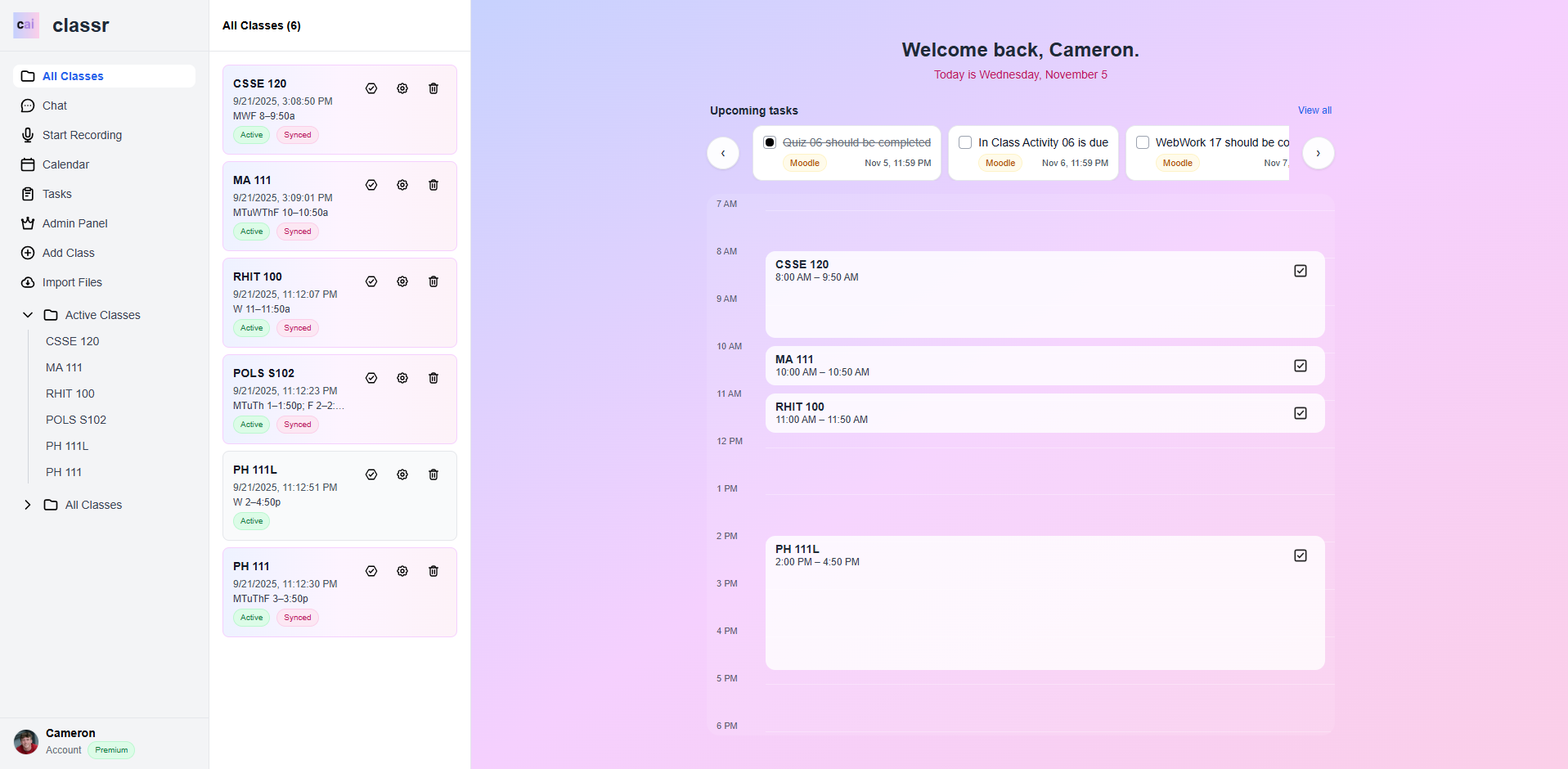
Link your classr account to your school and classr automatically groups content by the official courses. You get a living library of lectures, homework, and study materials from students who've taken the same classes.
Three steps to turn lectures into knowledge
One-tap recording during class. Auto-associates with your course and captures high-quality audio.
AI converts your lecture to searchable text with timestamps. Organized by course and date automatically.
Get AI summaries, chat with your course knowledge base, and share with classmates or keep private.
The smart audio recorder that captures every lecture—automatically
Classr Note is a compact, AI-integrated audio recorder that syncs with your Classr app account. It knows your class schedule and automatically starts recording when your lecture begins—no button presses required.
Syncs with your Classr app schedule and wakes up before class to record automatically
Uploads recordings to your Classr app via Wi-Fi or Bluetooth for instant transcription
Up to 20 hours of continuous recording on a single charge
Records to microSD card so you never lose a lecture, even offline
Be the first to know when Classr Note launches
Get early accessStart free. Upgrade when you need more.
Connect your school email and classr automatically syncs your official course list. Everything you upload gets organized by course code and section.
Yes. By default, all your recordings and notes are private. You can choose to share specific lectures with classmates if you want.
If students in previous semesters chose to share their notes for a course, you'll see them automatically when you enroll in that course.
You can export all your content before canceling. We'll keep your data for 30 days after cancellation in case you change your mind.
Our AI achieves 95%+ accuracy for clear audio. You can always edit the transcript if needed.
Recording works offline. Transcription and AI features require an internet connection.
Join thousands of students already using classr to ace their classes.
Create your free accountNo credit card required • Cancel anytime